Patch My PC takes a huge amount of manual work off your plate when it comes to third-party patching and application management. You can automate update deployment, package applications, and distribute them via Microsoft Intune or ConfigMgr. At SOFTTAILOR, we have been using Patch My PC in a wide variety of customer environments for years, and we offer both licenses and managed services for the solution.
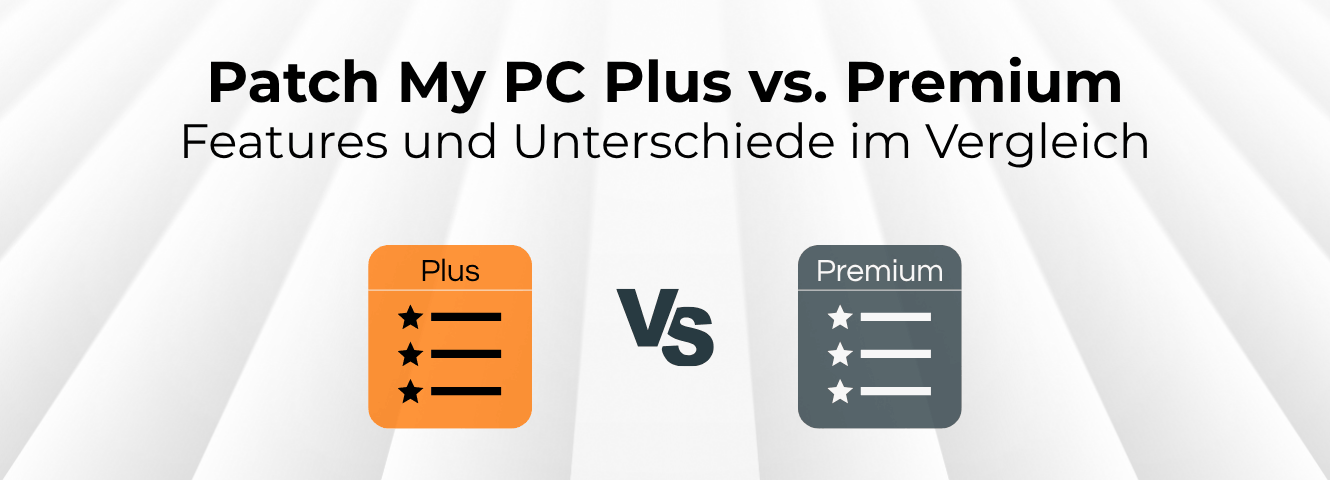
However, when it comes to licensing, a question quickly arises for both new and existing customers: Is Patch My PC Enterprise Plus enough, or is Enterprise Premium worth it?
The essentials at a glance
- Enterprise Plus already covers the core: automated third-party patching, packaging, publishing, and custom apps for Intune, ConfigMgr, and WSUS.
- Enterprise Premium primarily adds Advanced Insights, compliance reporting, security visibility, and device health – in other words, transparency into whether your automation is actually delivering the desired results.
- Premium is particularly worthwhileif you need to demonstrate compliance, identify risks faster, or want to leverage ConfigMgr-to-Intune migrations and deeper troubleshooting/management features.
1 Patch My PC Plus: Key features
Enterprise Plus is already a very comprehensive solution for automated patch and application management. You can automate third-party updates via Intune, ConfigMgr, and WSUS, deploy applications, and create your own custom apps.
This is complemented by features for customizing packages, such as pre- and post-install scripts, custom installation parameters, or handling running processes. Basic reporting is also included. For ConfigMgr/MECM Patch Insights is available, while basic reports via Microsoft Graph can be used for Intune.
In short: If your main goal is to reduce the manual effort involved in packaging, software distribution and want to reduce third-party patching, Enterprise Plus already offers the essential range of features.
This also aligns with the positioning of Patch My PC itself: Plus is aimed specifically at teams that want to replace manual patching processes, keep applications up to date, and spend less time on packaging and testing.
2 Patch My PC Premium: These features are added
Enterprise Premium includes all the features of Plus and primarily expands them with reporting, compliance, security visibility, and deeper insights into your environment.
One of the biggest differences is Advanced Insights & Compliance Reporting. For Intune , Premium provides, for example, true update compliance for the Patch My PC catalog and Microsoft updates. In addition, there is more extensive hardware and device health information. For ConfigMgr, Advanced Insights offers, among other things, threat analytics with CVE information as well as additional real-time actions.
This allows you not only to distribute updates automatically but also to answer the following questions much more effectively:
- Which devices are actually compliant?
- Where is action still required?
- Which devices or applications are affected by vulnerabilities?
- What is the status of the battery, storage media, or other hardware components?
Premium also provides information regarding Secure Boot, BitLocker, and TPM , thereby expanding the focus from pure application management to general security and device health status.
For companies that are gradually replacing ConfigMgr with Intune, there is another interesting difference: Plus can check applications for their Migration Readiness analysis. The actual migration of supported ConfigMgr applications to Intune, however, is exclusive to Premium.
Custom app capacity is also increasing: according to the latest product comparison, Premium allows for up to 500 custom apps and 250 GB of storage compared to 100 custom apps and 100 GB with Plus. Additionally, it includes commercial support for the PSAppDeployToolkit.
3 Reasons why switching to Patch My PC Premium is worth it
We are currently seeing stronger demand for Premium from new customers as well as an increase in upgrades from existing Plus customers. The reason: Once the actual patching process has been automated, the next question takes center stage – how well is our patch management actually performing?
Plus automates third-party patch management for companies. Premium helps them additionally identify and verify whether this automation is delivering the desired results.
Premium is therefore particularly interesting if you need to not only roll out patches but also track and document their success in a verifiable way.
This applies, for example, if you have higher requirements for compliance and reporting , if security teams need better information about risks, or if you want to identify more quickly which devices in a larger Intune environment still require attention.
Regulatory requirements are also increasing this need. For structured patch management, simply providing updates is not enough in the long run. You also need transparency regarding whether they have actually reached the intended systems. This exact topic plays a key role in areas like NIS2 and verifiable vulnerability management. You can find more information on this in our blog articles:
A typical example: You are already automatically deploying several hundred applications via Intune. With Plus, a large part of the operational work is taken care of. However, if you regularly need to demonstrate to security or management what your actual update compliance is and where risks still exist, Advanced Insights quickly becomes a real value-add.
Premium is therefore not automatically necessary for every environment. If you primarily need reliable third-party patching and application management, Plus can be a great fit. But as soon as compliance, security visibility, device health, or more extensive troubleshooting become relevant, it is worth taking a closer look at Premium.
4 Conclusion: Patch My PC Plus or Premium?
WithPatch My PC Enterprise Plus provides you with a powerful solution for automated third-party patching and application management. Enterprise Premium expands this feature set, primarily by adding advanced insights, compliance reporting, security visibility, and additional management capabilities.
If your main goal is to automate patch and application management, the Plus edition is already very comprehensive. However, as soon as you want to better understand how compliant your environment actually is, where risks exist, and which systems require attention, Premium becomes significantly more attractive.
Are you already using Plus and wondering if an upgrade is worth it? Or are you currently deciding between Plus and Premium? As a Patch My PC partner , we are here to help you choose the right feature set for your environment.

Dorian has been involved in corporate and IT strategy since 2011. Due to the endpoint security deficiencies of many companies and the information overload, he developed the endpoint strategy. Dorian is co-founder of the “Endpoint Management” expert group at IAMCP e.V.


Years of Experience
Managed Endpoints