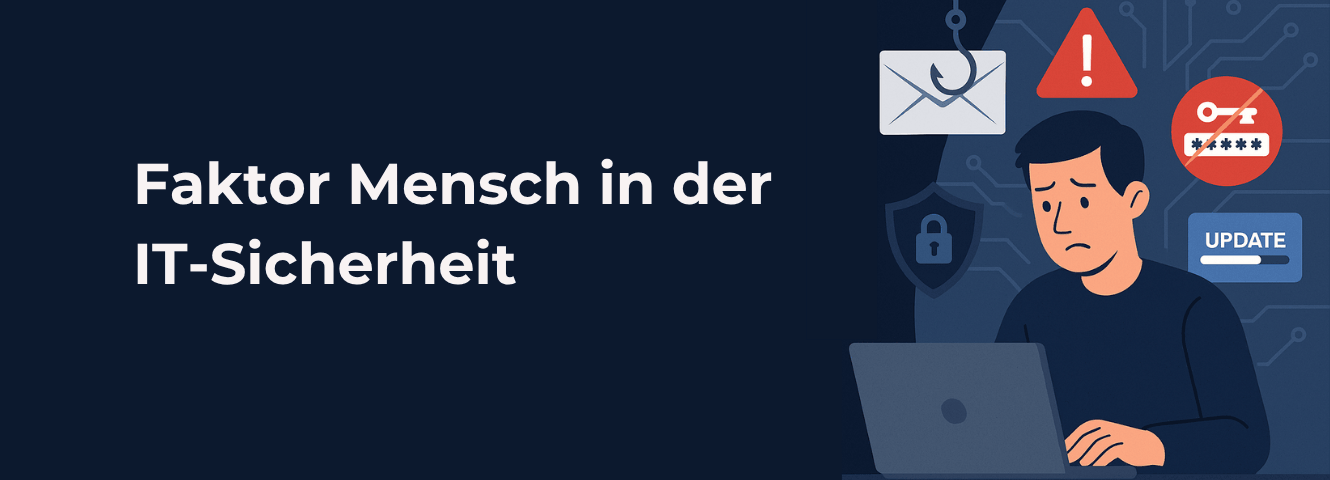
Phishing emails, manipulated login pages, or insecure passwords: many cyberattacks specifically target people. A single careless click or the disclosure of login credentials can be enough to give attackers access to corporate resources.
In this article, you will learn how companies can account for the human factor in IT security and which human and technical protective measures are truly effective.
The most important things in brief
- Cyber risks: Phishing, social engineering, insecure passwords, and shadow IT are among the typical risks in everyday work.
- Protective measures: Security awareness training strengthens security consciousness, while technical measures such as Zero Trust, endpoint security, and patch management limit the consequences of human error.
- Cyber resilience: Regular training, phishing simulations, and technical security audits help identify vulnerabilities and improve resistance to cyberattacks.
-
Human weak spot? We sensitize your users and establish technical and organizational protective measures against cyber attacks.
1. Why are people a cyber risk?
Employees are among the preferred targets for cybercriminals. They have daily access to corporate data, applications, and internal systems. Attackers therefore frequently attempt to exploit human weaknesses rather than directly overcoming technical security mechanisms.
The relevance of the human factor is highlighted by the Verizon Data Breach Investigations Report 2026: In 62% of the data breaches analyzed it played a role.
However, the responsibility does not lie solely with the employees. Missing security policies, inadequate training, and technical vulnerabilities can further increase the risk. It becomes particularly critical when human error meets poorly protected devices or insufficient access controls.
2. The most common cyber risks caused by employees
Cybercriminals use various methods to deceive employees, steal login credentials, or inject malware into corporate networks. They often exploit stress, time pressure, trust, or a lack of security awareness.
Some of the most common risks include:
The following attack scenario illustrates how quickly a single mistake can turn into a security incident.
{{beispielhaftes-szenario="/en/dev/components"}}
3. How can companies mitigate human error?
Human error can never be completely avoided. However, companies can significantly reduce the risk by raising employee awareness of cyber threats while simultaneously securing their IT systems technically. Both approaches complement each other: while training and clear processes are intended to prevent misconduct, technical protective measures can prevent such incidents from escalating into successful cyberattacks.
Human and organizational protective measures
An important component of IT security is Security awareness, which refers to the security consciousness of employees. Those who are familiar with typical attack methods and can better assess suspicious situations are less likely to fall for deception attempts.
However, a one-time training session upon hiring is not enough. It is more effective to conduct regular tests that are based on everyday work life:
- Security awareness training: Employees learn to recognize phishing attempts, social engineering, and other typical threats.
- Phishing simulations: Controlled test attacks help practice identifying suspicious messages and identify training needs.
- Clear security policies: Understandable guidelines for handling passwords, company data, software, and AI tools provide orientation.
- Open security culture: Employees should be able to report suspicious activities or their own mistakes early on without fear of negative consequences.
The key is that security awareness is not just taught through training, but fostered in everyday work. This includes having easily accessible points of contact and clear processes.
3.2 Technical Protective Measures
If a mistake does occur, technical safeguards provide an additional layer of security. To ensure, for example, that a compromised user account does not grant access to the entire IT infrastructure, companies should rely on Zero Trust . This approach means that users, devices, and applications are not automatically trusted. Access is verified based on defined security requirements and restricted to the necessary level.
The following technical measures help to limit the impact of human error:
- Unified Endpoint Management (UEM): With solutions like Microsoft Intune or baramundi, endpoints can be centrally managed, configured, and monitored. Security policies can be enforced consistently, and the security status of devices can be checked.
- System hardening and access protection: System hardening reduces unnecessary functions and potential attack surfaces. Additionally, measures such as Least Privilege and Endpoint Privilege Management (EPM) limit user permissions. Conditional Access makes it possible to allow, restrict, or block access based on conditions such as user, sign-in, and device risk.
- patch management: Outdated operating systems and applications often contain known security vulnerabilities that attackers can exploit. Automated patch management ensures that available security updates are distributed promptly and that such vulnerabilities are closed as quickly as possible.
- Endpoint Protection Platform (EPP): An EPP such as Microsoft Defender for Endpoint protects endpoints from malware and other threats. Suspicious files and activities can be detected and blocked. Complementary Endpoint Detection and Response (EDR) features help to identify, investigate, and respond to attacks that have already occurred.
The importance of endpoint management in particular is demonstrated by the Microsoft Digital Defense Report 2024: In over 90% of the ransomware attacks studied that progressed to the extortion phase, attackers used unmanaged devices to gain access or remotely encrypt systems.

You can verify whether your own protective measures are actually effective by, among other things, conducting regular penetration tests (pentests) . These involve controlled simulations of attack scenarios to uncover vulnerabilities, misconfigurations, and potential attack paths before cybercriminals can exploit them.
4. What to do if a security error has occurred?
A security error does not necessarily have to lead to a serious cyberattack. Even if human or technical protective measures fail, damage can often be limited through a quick and coordinated response.
Above all, employees should keep the following points in mind:
- Report incidents immediately: Suspicious activities and potential security errors should be reported immediately to the IT department or the relevant security team. The sooner those responsible are informed, the faster they can react.
- Follow established processes: Employees should follow the IT team's instructions and not attempt to remove malware or reset affected systems on their own. Doing so could result in the loss of important information for the investigation. '
- Provide information: Details regarding the time of the incident, suspicious messages, or actions taken help to reconstruct the attack and initiate appropriate countermeasures.
Especially with compromised devices, incorrect reactions can further exacerbate the situation. Therefore, companies should establish clear rules of conduct for emergencies and familiarize their employees with the most important dos and don'ts during a cyberattack on endpoints .
{{cta-033="/en/dev/components"}}
5. Conclusion: From cyber risk to security asset
Through regular training, clear security policies, and an open security culture, employees can transform from a potential cyber risk into a key security asset. They recognize suspicious activities early, question unusual requests, and report potential security incidents.
Since human error cannot be completely avoided, reliable technical safeguards are also required. The interaction between both areas is crucial. Regular phishing simulations and security awareness tests, as well as technical security audits and penetration tests, help to identify vulnerabilities early and evaluate the effectiveness of protective measures.
This allows companies to strengthen their resilience against cyberattacks and limit potential damage.
SOFTTAILOR supports you on both fronts: With our Endpoint Management as a Service we take over the continuous management and protection of your devices, and our Security Awareness Training strengthens your employees' security awareness through regular, customized training and realistic phishing simulations.

Dorian has been involved in corporate and IT strategy since 2011. Due to the endpoint security deficiencies of many companies and the information overload, he developed the endpoint strategy. Dorian is co-founder of the “Endpoint Management” expert group at IAMCP e.V.


Years of Experience
Managed Endpoints